:::: MENU ::::
  • Welcome To Rakhshani Site

  • THE PLACE OF GAMERS

  • THE HOUSE OF EXPERTS

Showing posts with label Software. Show all posts

Thursday, 7 June 2018


[ RELEASE INFO ] 

* File: SVR2016.ENU.MAY2018.iso 
* Size: 7.34 GB 
* Format: Bootable ISO 

* SOURCE: 14393.0.160715-1616.RS1_RELEASE_SERVER_OEMRET_X64FRE_EN-US 

* CRC32: 05a1473b 
* MD5: 3376217e1ec8938338a6cab578bad524 
* SHA-1: 70c47d514d1238b0a9b5044b2c31d773b9b55976 

[ CONTENTS ] 

* Integrated / Pre-installed: 

* Dynamic Update(s): 
* KB4013419 
* KB4033524 
* Servicing Stack Update: 
* KB4093137 
* CumulativeUpdate: 
* KB4103720 
* NET Framework 4.7.1: 
* KB4033393 
* KB4054855 

SetupComplete / Post-install: 

* .NET Framework 3.5 
* Defender Updates 

* LANGUAGE: ENGLISH US 

[ EDITIONS INCLUDED ] 

* Windows Server 2016 Standard Core 
* Windows Server 2016 Standard 
* Windows Server 2016 Datacenter Core 
* Windows Server 2016 Datacenter 

* Activated by KMS (Potential False Positive Virus Alarm) 

[ FEATURES ] 

* UEFI-ready 
* install.wim splitted for UEFI support (FAT32) 
* (Use attached Rufus USB-tool to make UEFI-bootable) 
* Diagnostics and Recovery Toolset 10 (Microsoft DaRT) 

[ SCREENSHOTS ]


[ INSTALLATION & INFORMATION ] 

* Create bootable USB (highly recommended) with Rufus, 
* (attached) or burn to DVD-DL at slow speed. 

* Hope you will enjoy this release! 


Monday, 18 December 2017


TechSmith Camtasia Studio 9.1.1 Build 2546(16 November, 2017) 


Camtasia Studio is the complete professional solution for recording, editing and sharing high-quality screen video on the Web, CD-ROM and portable media players, including iPod. With support for a variety of video standards, you can ensure your content delivery now and in the future.


Easily record your screen, PowerPoint, multiple audio tracks, and webcam video to create compelling training videos, screencasts, and presentations without ever leaving your desk. With the power of interactive Camtasia Studio videos, you can deliver high-quality content anytime, to even your most remote audience.
Camtasia Studio helps you keep pace in a mobile world by making it easy to publish videos and MP3 files for iPod and other portable media players. Now your marketing message, screencast, lecture, or just-in-time training video can reach your audience practically anywhere – on the bus, in a coffee shop, or while they’re jogging. Camtasia Studio videos are simply designed to share.


• Intelligent capture controls that adapt to you
• Crystal-clear playback at any size with Camtasia SmartFocus™
• Easy, versatile video sharing with TechSmith ExpressShow™
• Precise editing and butter-smooth onscreen movement
• Professional content without a ton of production time


With the smartest screen recording tools on the planet, Camtasia Studio makes everything from training videos to PowerPoint presentations to lectures look better, reach more people, and pack more punch. Which makes you look even smarter, too.

Record Anything 
Easily create training, demonstrations, presentations, online courses… the possibilities are endless. Connect with your audience by including screen recordings, audio, voice narration, PowerPoint, Picture-in-Picture and webcam video.

Edit and Enhance 
Edit and enhance your video with callouts, titles, credits, zooming, panning, quizzes and additional audio tracks. Camtasia Studio's extensive editing options are at your fingertips.

• Share
Publish in Flash, QuickTime and a variety of video formats, then share on the Web, CD or DVD. You can use the Production Wizard to assist you in choosing the best format and settings for sharing with your audience, or you can have complete control over audio and video codecs and quality, frame rate, color depth, and inclusion or exclusion of special effects.


What's new in version 9.1.1: 19 November, 2017: 

-Improved rendering performance with behaviors.
-Fixed a bug with Camtasia crashing when trying to import PowerPoint files.
-Fixed a bug with media being selected out of view on the timeline.
-Fixed a bug where the Recorder preview shows a white screen.
-Fixed a bug where tracks could be missing after upgrade to 9.1.0.
-Fixed a bug with pausing during sync captions.
-Fixed a bug where horizontal scroll could cause a crash.
-Fixed a crash using Annotations after installing to a folder with double byte characters.
-Other bug fixes and improvements.

Image


127.0.0.1 www.techsmith.com
127.0.0.1 activation.cloud.techsmith.com
127.0.0.1 oscount.techsmith.com
127.0.0.1 updater.techsmith.com
127.0.0.1 camtasiatudi.techsmith.com
127.0.0.1 tsccloud.cloudapp.net
127.0.0.1 assets.cloud.techsmith.com

Password for the archive & link: warezbb


Sunday, 17 December 2017


PPSSPP can run your PSP games on your PC in full HD resolution, and play them on Android too. It can even upscale textures that would otherwise be too blurry as they were made for the small screen of the original PSP. Even on modern Android phones and tablets, you can often run at double the original resolution. 

PPSSPP is the first PSP emulator for Android (and other mobile platforms), and also runs faster than any other on Windows, Linux and Mac OS X. PPSSPP is in its early stages and game compatibility is thus still somewhat spotty. 

Enhance your experience! 
Play in HD resolutions and more 
Play on a tablet for big-screen mobile gaming 
Customize on-screen touch controls or use an external controller or keyboard 
Save and restore game state anywhere, anytime 
Crank up the anisotropic filtering and texture scaling 
Continue where you left off by transferring saves from your real PSP 


Official Website


Sunday, 24 September 2017


Adobe Photoshop is a raster graphics editor developed and published by Adobe Systems for macOS and Windows. Photoshop was created in 1988 by Thomas and John Knoll.
Photoshop History and Basic tools Description:- ======================================================
Early history. Photoshop was developed in 1987 by the American brothers Thomas and John Knoll, who sold the distribution license to Adobe Systems Incorporated in 1988. ====================================================== Developer(s): Adobe Systems Initial release: 19 February 1990; 27 years ago Stable release: CC 2017.1.1 (18.1.1) / 2 May 2017 Development Status: Active Operating System: Windows and mac / Platform IA-32 and x86-64 Available in: 26 languages Languages: English United States, English United Kingdom, Arabic, Chinese Simplified, Chinese Traditional, Czech, Danish, Dutch, Finnish, French, German, Hebrew, Hungarian, Italian, Japanese, Korean, Norwegian, Polish, Portuguese, Russian, Spanish, Swedish, Romanian, Turkish and Ukrainian Type: Raster graphics editor License: Trialware, SaaS Website: adobe.com/photoshop Full Download With Cracked:- https://mr-rakhshani.blogspot.com/2015/03/adobe-photoshop-cc-2014-v1522.html


 https://safelinking.net/p/2934433ce5


Friday, 6 January 2017

Friday, 16 December 2016

Friday, 15 January 2016

 Image

QuickTime Pro 7.7.9 Multilingual | 40.8 MB 

QuickTime is a powerful, reliable, and flexible foundation for the most cutting-edge multimedia experiences. But that's just the beginning. With QuickTime 7 Pro, third-party plug-ins, and QuickTime streaming solutions, you can take your digital media even further. QuickTime 7 Pro converts your files to a format optimized for iPhone, iPod, Apple TV, or a variety of other devices. 

New in QuickTime Player 7: 
H.264 video support. This state-of-the-art, standards-based codec delivers exceptional-quality video at the lowest data rate possible, across data rates ranging from 3G to HD and beyond. 
Live resize. Playback continues smoothly as you change the size of the QuickTime Player window. (Some hardware requirements may apply.) 
Zero-configuration streaming. You no longer need to set your Internet connection speed in QuickTime Preferences. QuickTime automatically determines the best connection speed for your computer. If a connection is lost during streaming, QuickTime automatically reconnects to the server. 
Surround sound. QuickTime Player can now play up to 24 channels of audio. With QuickTime 7, your Mac, and surround speakers, you can enjoy the full effect of your surround sound movie or game. 
New and improved playback controls. Use the new A/V Controls window to adjust settings for the best viewing experience. Easily change settings including jog shuttle, playback speed, bass, treble, and balance. 
All-new content guide. The all-new QuickTime Content Guide provides the latest in entertainment on the Internet. 
Full-screen playback. Get the most out of your display by using every pixel possible. Thee new modes allow you fit the content to any size screen. 
Floating controls. Full-screen mode now provides floating DVD-like controls for easy access to functions like pause, play, fast-forward, rewind, and full-screen options. 
Move your mouse and the full-screen controller appears on the screen for several seconds. 
Additional keyboard shortcuts. QuickTime Player now supports the same transport control keyboard shortcuts as Final Cut Pro. While viewing a movie, press J, K, or L to rewind, pause, or resume playback at variable speeds. 
Closed Captioning. An option in QuickTime Player Preferences allows you to display standard CEA-608 closed captions, when they're available in your movies. 
Timecode Display. QuickTime Player now allows you to switch between displaying movie time, timecode, and frame count. You can also jump to a specific timecode or frame number using the keyboard. 
Spotlight-friendly media. With Mac OS X v10.4 or later, you can use Spotlight to easily find your QuickTime content. Spotlight can search for movie attributes such as artist, copyright, codec, and so on. 
Screen reader compatibility. Using VoiceOver, included with Mac OS X v10.4 or later, visually impaired users can enjoy QuickTime Player features. 
Easy access to QuickTime Pro. When you use the free QuickTime Player, features available only in QuickTime Pro display "Pro" by their name. If you choose one of these items, you'll see a definition of the feature and learn how to purchase QuickTime Pro. 

QuickTime 7 Pro users enjoy not only all the great features in QuickTime Player, but also the following new QuickTime Pro capabilities: 
Create H.264 video. Use this codec for all your video encoding needs. Create content ranging in size from HD (high definition) to 3G (for mobile devices), and everything in between. 
Create surround audio. Create a rich multimedia experience for your customers by adding multi-channel audio to your movie. If some of your customers don't have surround speakers, don't worry; QuickTime automatically mixes the audio to work with the speaker setup of each user. 
Improved movie authoring. Editing tasks are much easier with new hot keys for in and out points. In addition, the Movie Properties interface has been completely redesigned to facilitate simple and efficient movie authoring. 
New AAC constant-quality mode. Create AAC audio files optimized for constant quality rather than a constant bit rate for a consistently high-quality listening experience. 
3G streaming. Create 3G files for RTSP streaming that are fully interoperable with other 3G streaming handsets and delivery architectures. 
Conform to Aperture. View a movie's aperture mode, and choose to have the movie conform to new aperture settings, including pixel shape. 
Deinterlace source video. When exporting with the "Movie to QuickTime Movie" option, you can now deinterlace the video by setting an option in Export Size settings. 
Export to Apple TV, iPod, and iPhone. New presets allow you to easily export your movies in formats optimized for use with Apple TV, iPod, and iPhone. 
Export for Web. Automatically creates versions of a movie that are optimized for both web and iPhone delivery, a reference movie that automatically selects the appropriate version for playback, and an HTML snippet file that you can use to embed the movie on a web page. 
Concurrent exports. Export multiple files simultaneously-and continue with your next playback or editing task. 

Types of Files QuickTime Supports 
You can open (import) dozens of types of media with QuickTime. Some of the formats you can open in QuickTime include the following: 
Video formats: MOV, MPEG-1, MPEG-2, MPEG-4, 3GPP, 3GPP2, JPEG, DV, Motion JPEG, AVI, MQV, H.264; 
Audio formats: AIFF/AIFC, Audio CD, CAF, MOV, MP3, MPEG-4, AU, WAV, iTunes audio; 
Still-image formats: BMP, GIF, JPEG/JFIF, JPEG 2000, PDF, MacPaint, PICT, PNG, Photoshop (including layers), SGI, Targa, FlashPix (including layers), TIFF (including layers); 
Animation formats: Animated GIF, FLC, Flash, PICS; 
Other formats: KAR (Karaoke), MIDI, QuickDraw GX, QuickTime Image File, QuickTime VR, Text. 

OS : Windows 10, 8, 7, Vista, XP 
Language : Multilingual 


Sunday, 22 March 2015

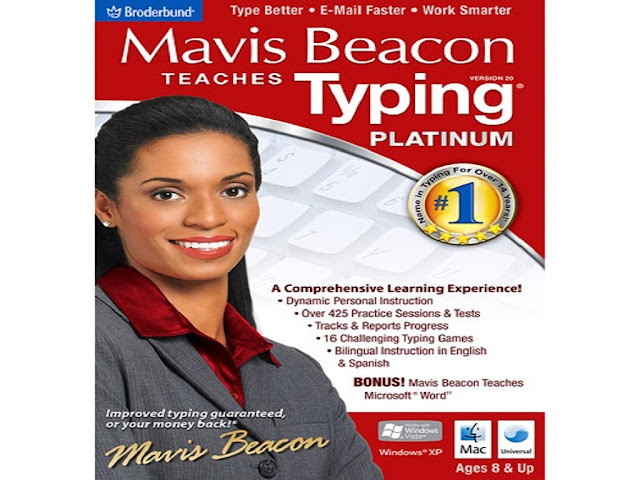
MAVIS BEACON TEACHES TYPING VERSION 20


free download typing tutor Mavis Beacon Teaches Typing V. 20 full version is one of the best typing tutor of the world. The most comprehensive typing instruction system now includes updated learning tools, an improved user interface and even more features to guarantee typing improvements in just 2 weeks. Whether you want to learn essential keyboarding skills or improve overall typing efficiency, Mavis Beacon will guide you step-by step on your road to success! Improve speed and accuracy with detailed assessments, customized lessons and skill-building games. In addition to
Mavis Beacon's personal typing instruction, detailed reports illustrate overall progress and assist in identifying specific strengths and weaknesses. Powerful learning tools, along with this detailed reporting will help typists excel at their own pace. Hard work is rewarded with "recess time" and certificates of completion. Cool tools such as "import your own MP3 files" and fun arcade-style games enrich the learning experience.

Redesigned with advanced technology and updated with even more features--Mavis Beacon Teaches Typing Platinum 20 offers typists of all skill levels and ages a brand new learning experience with greater benefits and increased efficiency. free download typing tutor Mavis Beacon Teaches Typing V. 20 full version. 

430 Personalized lessons, exercises and tests
16 Arcade-style games, including multi-level games
Detailed tracking and progress reporting
New content--type jokes, riddles, recipes, song lyrics and more
Type in English, Spanish & French
Choose from new music options or import your own MP3 files and type to your own tunes
New Certificates of CompletionHybrid--Works with Microsoft Vista & Mac OSX Universal certified
Platinum Exclusives
Unique Custom Lesson Designer
Learn to type in English, Spanish & French
New multi-level arcade-style games
Import your own text as Word.doc formats--be productive while practicing your typing skills
Choose to type from hundreds of interesting articles, stories and emoticons

Learn with Mavis Beacon and achieve noticeable results quicker than any other typing program--guaranteed. Please view the features  and free download typing tutor Mavis Beacon Teaches Typing V. 20 full version below.
Product Features
Learn essential keyboarding skills or improve overall typing 
efficiency 430 Personalized lessons,
 exercises and tests Detailed progress reports assist in identifying strengths and weaknesses
16 arcade-style typing games Bilingual instruction (English & Spanish)


Type Better - Email Faster - Work Smarter!

With a complete re-design, Mavis Beacon Teaches Typing Deluxe 20 may not look familiar, but we promise that Mavis Beacon still provides guaranteed improvements in only 2 weeks.
Mavis Beacon's unrivaled typing training program has great features that will benefit any user, from students just starting out to professionals looking to squeeze a few more emails into the work day.

Dynamic personal instruction automatically places and adjusts the lesson plans to users' individual performance

12 fun & challenging typing games that will keep users coming back
Over 325 practice session options
Detailed tracking & reporting
Mavis Beacon Teaches Typing Deluxe 20 is all new!

We've done what we didn't think was possible - we've made Mavis Beacon Teaches Typing even better!
Upgraders from Mavis Beacon Teaches Typing 17 will find an all-new user interface and re-designed features and functionality. Here are just some of the improvements we've made to the leading typing instruction program available:

Core Curriculum Improvements

While the core curriculum within Mavis Beacon remains as effective as ever, we've introduced a Curriculum Map to make it easier for users to see where they are in the overall training program.
Re-designed Games

Mavis Beacon Teaches Typing 20 Deluxe features 12 re-designed games. Each game provides a fun and motivating way to practice and improve typing skills.
More Practice Content

With over 325 different sessions, passages and tests, there is something for everyone in the Practice Area. Content includes passages and sessions from literary classics, historical autobiographies, poetry and more!
Key Features:
Mavis Beacon Teaches Typing has been the leading typing instruction application for at least a decade by offering:

Dynamic Personal Instruction

Leverage Mavis Beacon's renowned Adaptive Response Technology to run through the core training curriculum and maximize your improvements in the shortest time possible. Mavis Beacon will automatically place you in the lessons based on your current skill level and adjust your path as you progress through the training program.
Practice Area

Mavis Beacon lets you choose what you use to practice your typing. Select from hundreds of articles and passages covering a wide variety of topics and subjects including literary classics, history, autobiographies and poetry.
Typing Games

With a total of 12 typing games designed to improve your speed, accuracy and/or rhythm, the Games Area is sure to be a favorite destination for any user.
Progress Tracking & Reporting

Mavis Beacon tracks your performance over time and provides a series of reports so that you can understand and review your progress.
The Summary report gives a snapshot of the users' cumulative performance.

Keyboard Proficiencies show detailed performance by individual key, allowing users to see on which keys they need improvement.
The Curriculum Map provides users with a view of where they are within the Mavis Beacon Training Program.
Progress Over Time charts users' performance on milestone lessons over an extended period, giving users a view of how much they have improved.
Spanish Mode

In Spanish Mode, Mavis Beacon Teaches Typing presents help, reports and more in Spanish, allowing Spanish- and English-language learners to get more out of their time with Mavis Beacon.
Key Features:
Keyboarding skills have never been more important for students. Mavis Beacon Teaches Typing has many features that help young typists stay motivated!

12 fun & challenging games will keep kids motivated

Fun practice sessions including IM/text messages, emoticons, nursery rhymes and excerpts from classic books and stories including Peter Pan, Alice in Wonderland and Little Women
Import and listen to your favorite MP3 while you type. free download typing tutor Mavis Beacon Teaches Typing V. 20 full version by visiting the below downloading method.


Typing Master Pro v7.0.1.794 Final Multilanguage
Image 

2011 Update Out Now 


TypingMaster Online 2011 Update has now been released! We happily present you the improved typing tutor with a few new features. 
Is your typing forecast sunny or does it look cloudy? We proudly introduce Course Result Forecast that helps teachers identify early the students who may need additional support to complete the course. 
Another great feature is a printable Typing Certificate, available after a completed course or typing test. 


For Any Request Or Problem On Rakhshani Site Contact us